



Formatting, Styling & Modifying Data in Excel
Rating: 5/5
The module was well-structured, easy to follow, and provided practical Excel skills that I can apply in real-world situations. The instructions were clear and the exercises helped reinforce the concepts learned.
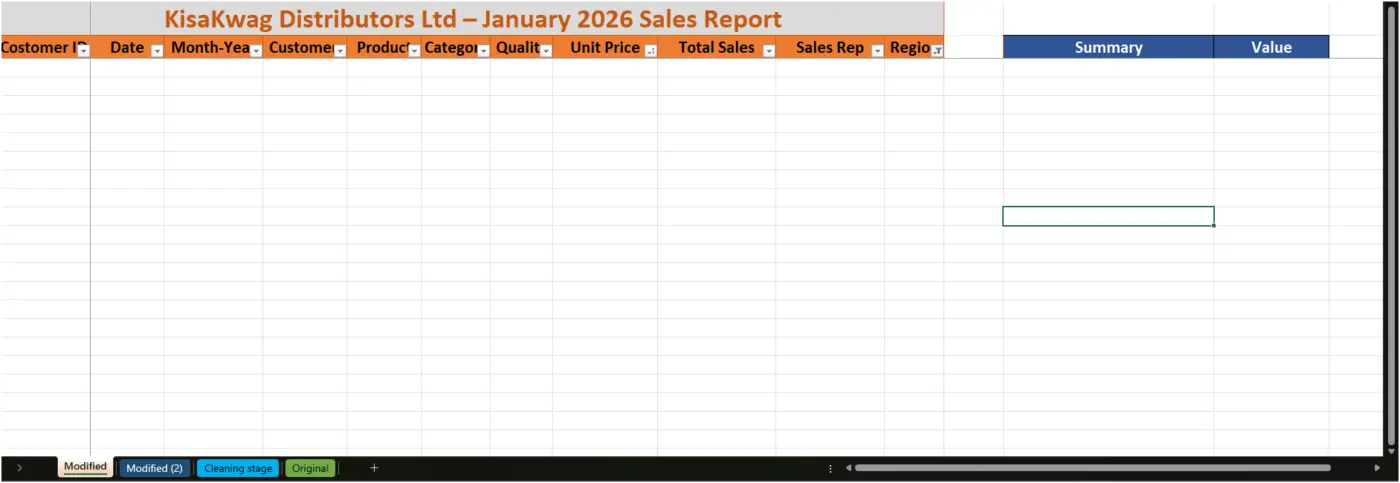
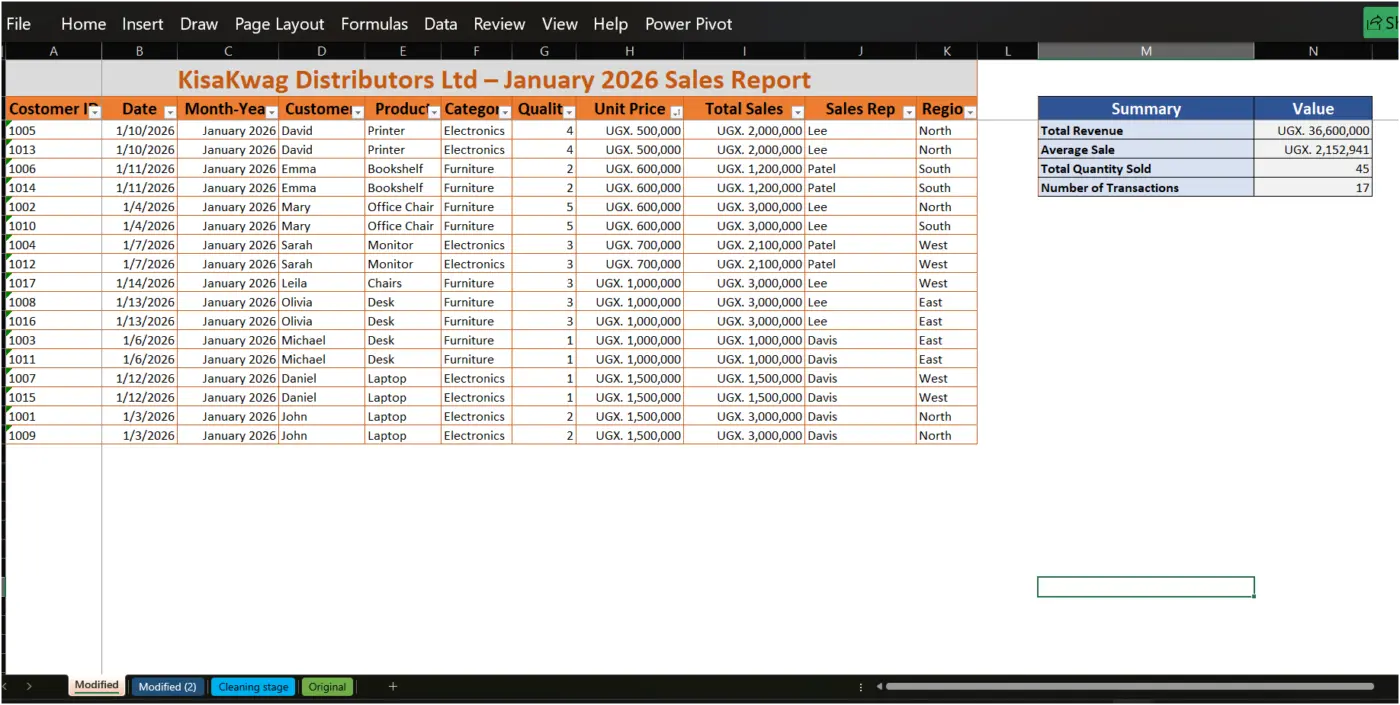
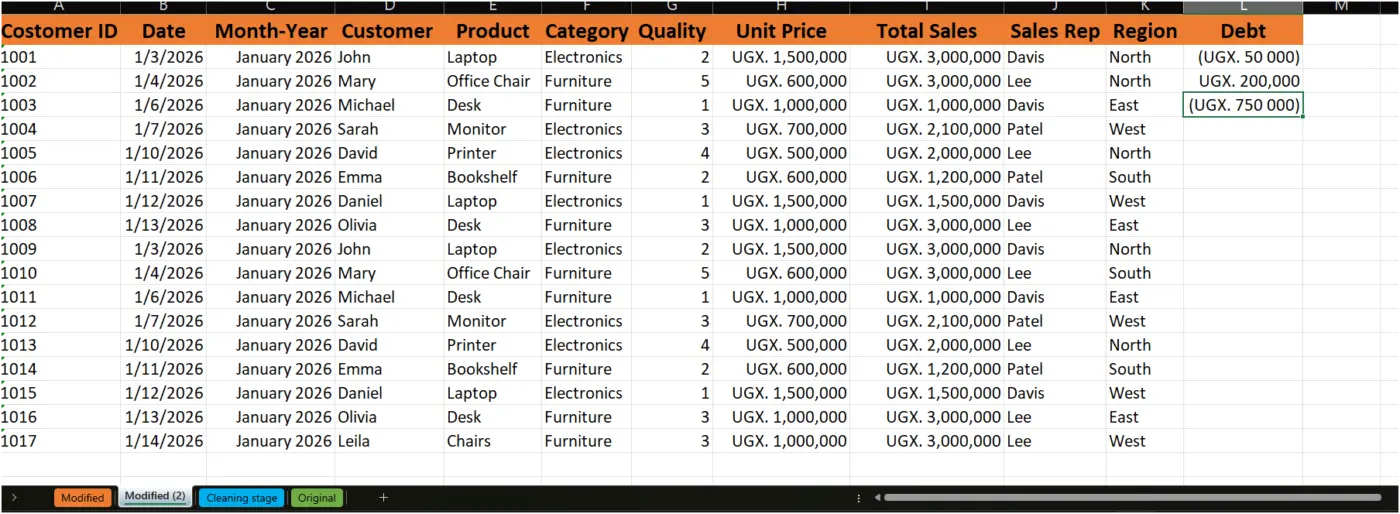
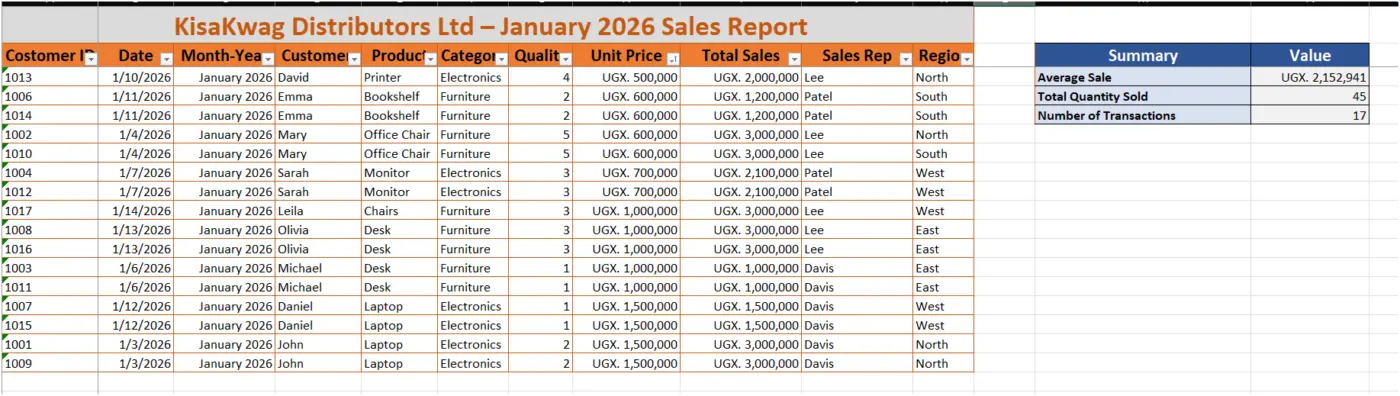
Briefly describe on how i organized the dataset.; I applied formatting, sorting, and filtering techniques to improve readability and make the data easier to analyze and records were arranged consistently
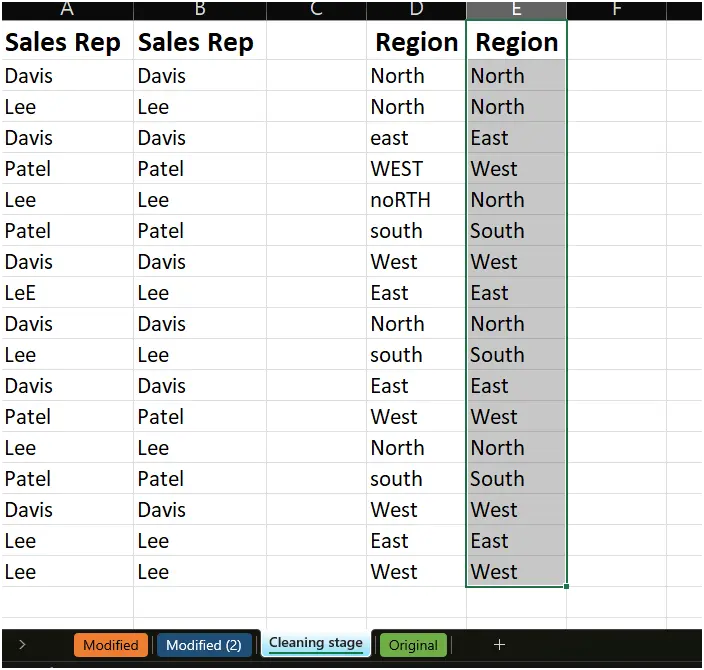
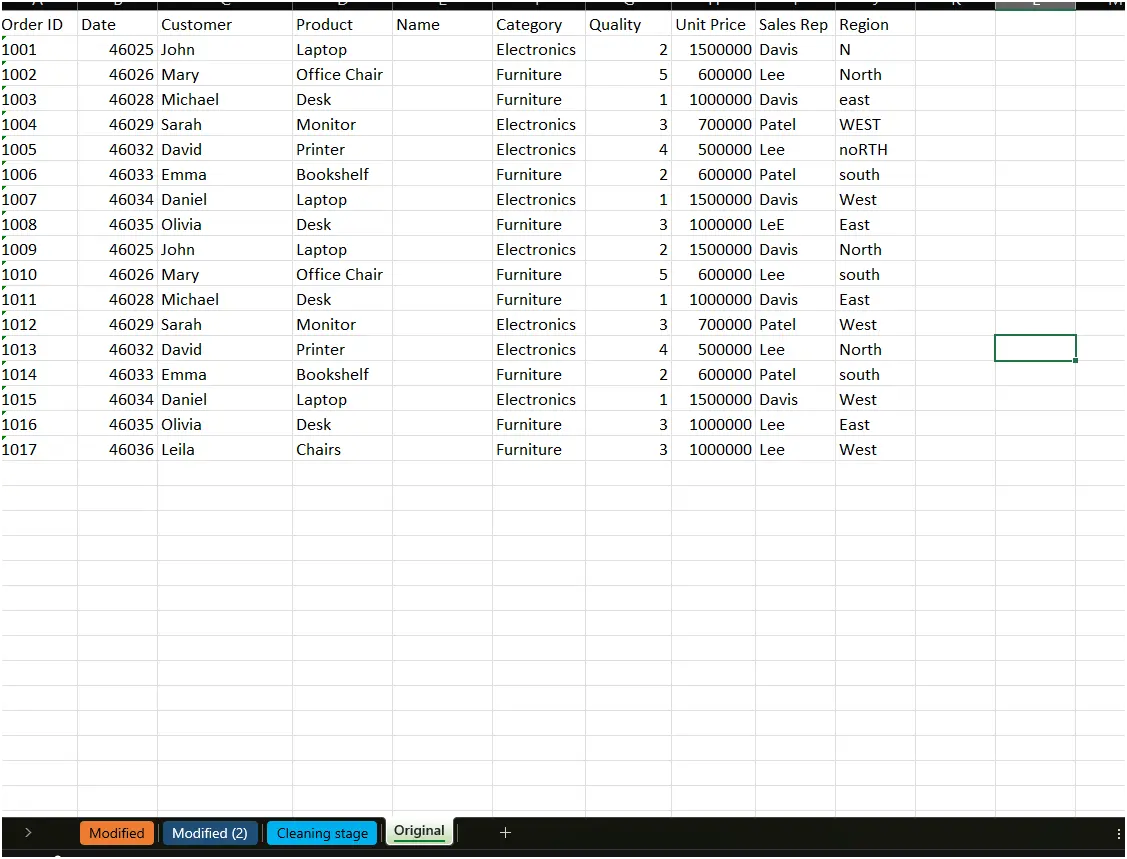
improvement during the cleaning process; One key improvement I made was correcting inconsistent data entries and applying uniform formatting throughout the worksheet. This helped improve data accuracy and presentation.
Share one challenge i faced while completing the project; One challenge I faced was identifying and correcting formatting inconsistencies while ensuring that the data remained accurate. Careful review was required to avoid errors during the cleaning process.

Well done